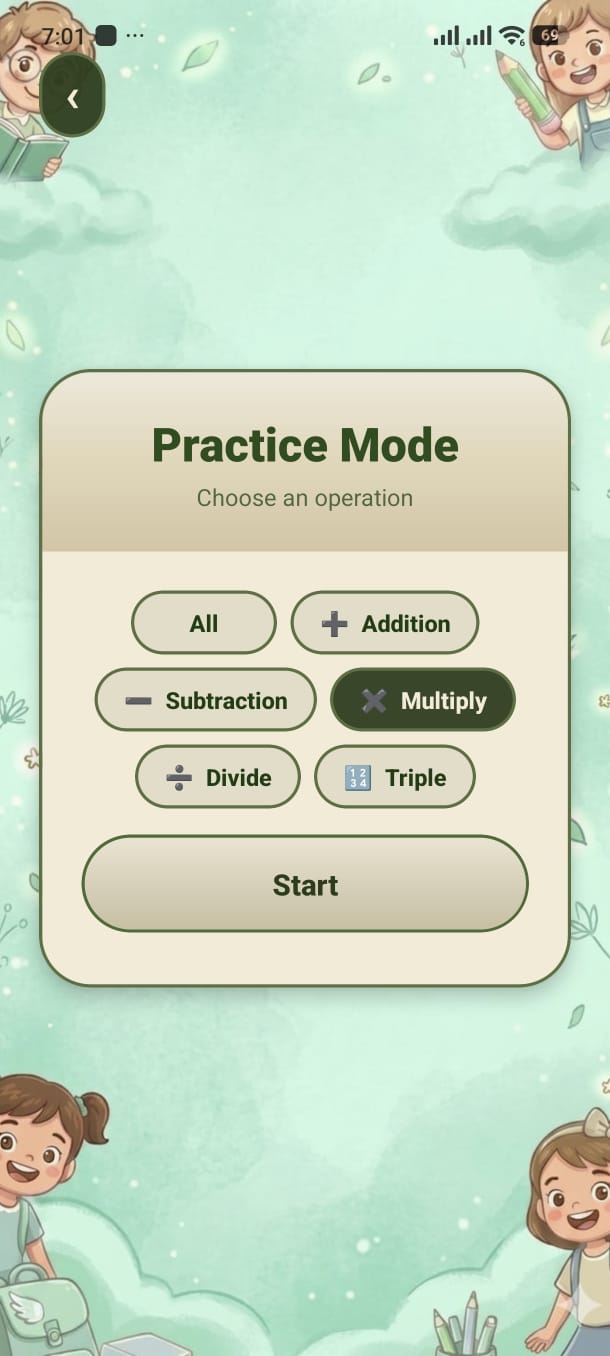
Choose exactly which operation you want to practise. No timer, no pressure — just focused, purposeful math training.
Before the quiz starts (for ages 6 and above), a setup screen appears with a row of operation pills. Tap one or more to select the type of math you want, then press Start.
Children under age 6 skip this screen — the app starts the quiz automatically using operations appropriate for their age.
| Operation | Unlocks at age | Example |
|---|---|---|
| ➕ Addition | 3+ | 4 + 3 = ? |
| ➖ Subtraction | 6+ | 9 − 4 = ? |
| ✖️ Multiplication | 7+ | 6 × 3 = ? |
| ➗ Division | 8+ | 12 ÷ 4 = ? |
| 🔢 Triple ops | 7–9 | 2 + 3 + 4 = ? |
| 🔣 Compound ops | 10+ | 4 × 3 − 5 = ? |
The quiz runs like any other mode — progress bar at the top, live score, streak badge. When all questions are answered the Results Screen appears automatically.
Add your screenshot here
guide/img/screen-practice.png