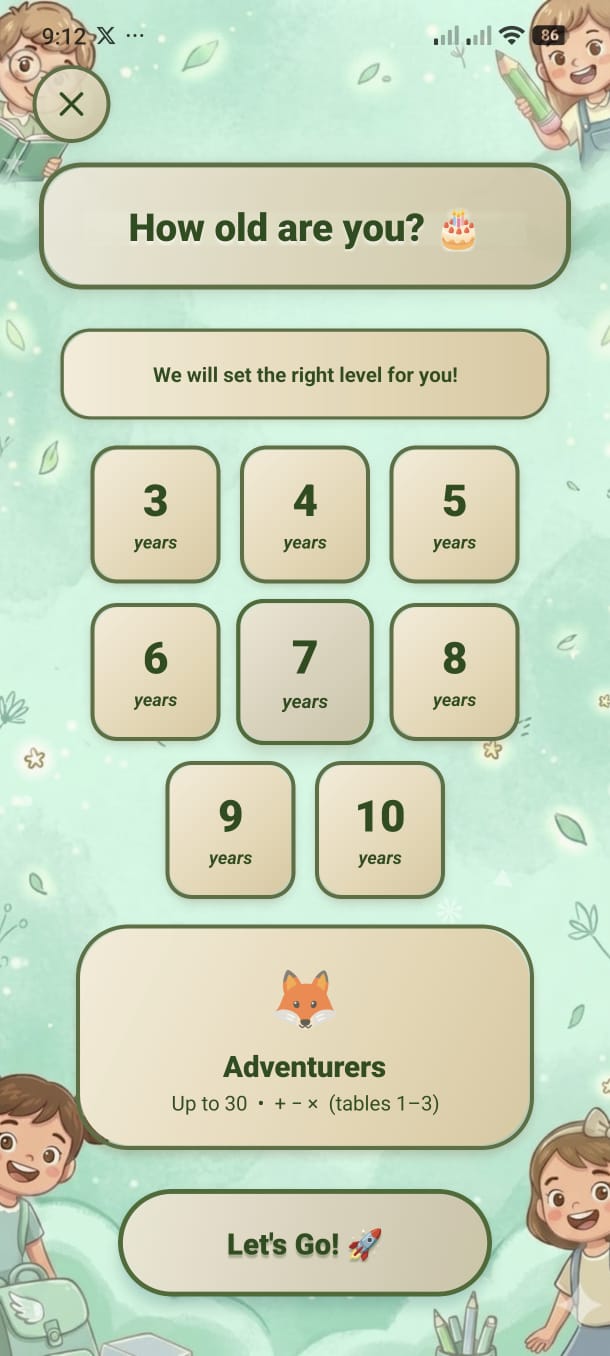
Choose age 3–10 and the entire app adjusts — harder operations unlock, input method changes, and difficulty scales automatically.
Math Kids uses your selected age to determine which math operations appear, how questions are presented (pictures vs. numbers vs. typed answers), and how difficult the problems are. A 3-year-old sees picture matching; a 10-year-old types compound answers.
The age selection screen shows a 3×3 grid of age buttons. Each button glows with its own colour when selected, and a description panel appears below showing the group name and what skills are covered.
| Age | Group | Operations | Input Style |
|---|---|---|---|
| 3 | 🐣 Tiny Tots | Addition only (small numbers) | Picture / icon matching |
| 4 | 🐣 Tiny Tots | Addition only (slightly larger) | Picture / icon matching |
| 5 | 🐥 Explorers | Addition + visual arithmetic | Visual icons + multiple choice |
| 6 | 🌟 Stars | Addition & Subtraction | Multiple choice (4 options) |
| 7 | 🦊 Adventurers | + − × and Triple ops | Multiple choice (4 options) |
| 8 | 🐯 Challengers | + − × ÷ | Multiple choice (4 options) |
| 9 | 🦁 Champions | + − × ÷ Compound ops | Typed numeric answer |
| 10 | 🚀 Math Masters | Full set including advanced compound | Typed numeric answer |
Triple Operations
Three-part equations such as 2 + 3 + 4 = ? Unlocks at age 7.
Compound Operations
Mixed-operator chains like 4 × 3 − 5 = ? Unlocks at age 10.
Your age is not locked. You can change it at any time from the Home screen: